See Neuclon, screen by screen.
One workspace where process owners go from connected data to automated workflows and shared dashboards, in plain English, without writing code or waiting on IT. IT keeps it governed on Microsoft Azure and Databricks.
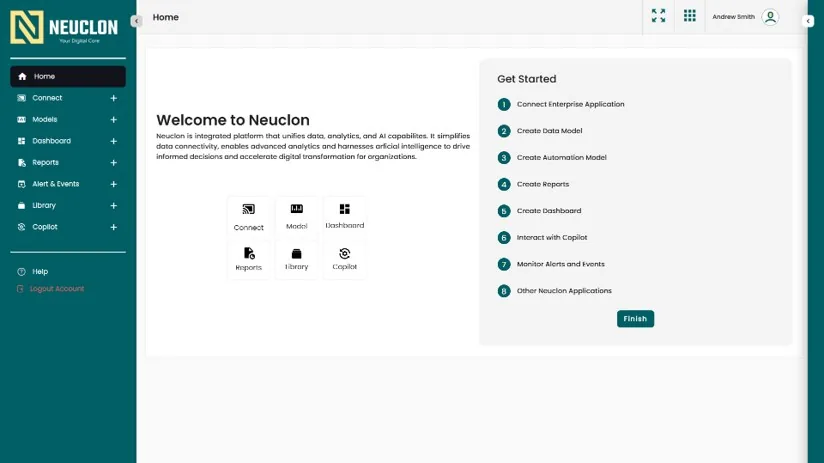
Eight guided steps
A new team is never left with a blank screen. The Get Started checklist walks them from connecting enterprise apps to models, dashboards, Copilot and alerts.
- The checklist: connect, model, automate, report, dashboard, Copilot, alerts.
- Shortcuts to every module from the home screen.
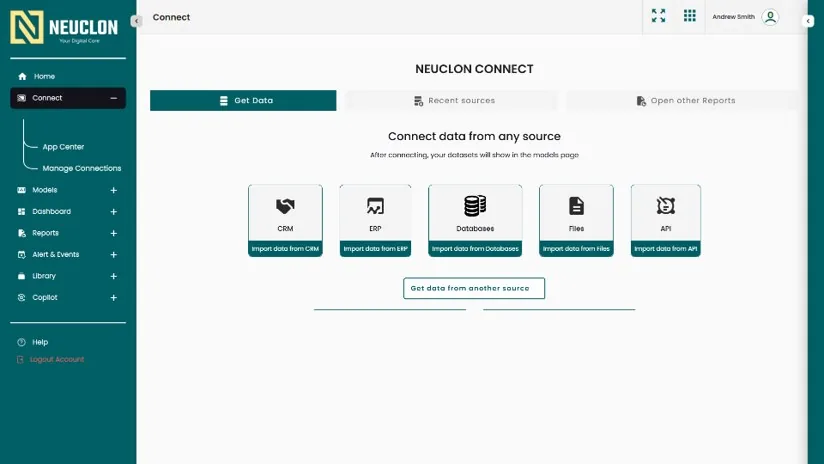
Bring in your data
Connect pulls data from the systems the plant already runs. Each connected dataset flows straight into Models.
- One click per source type: CRM, ERP, databases, files or any API.
- Anything else is under "Get data from another source".
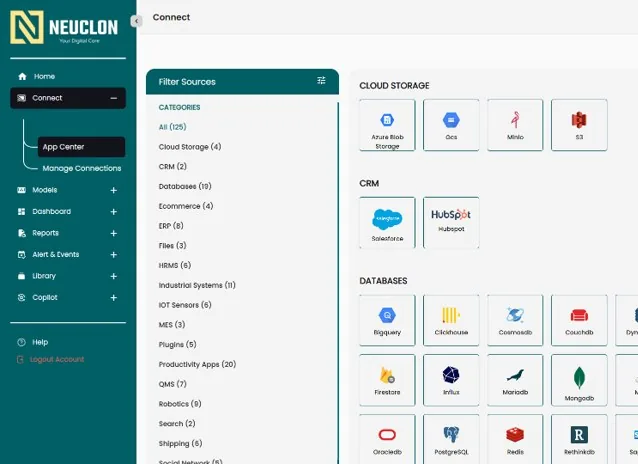
125 connectors
The App Center lists every connector by category, so IT can see at a glance what is covered.
- Categories include ERP, MES, QMS, industrial systems, IoT sensors, robotics and HRMS.
- Cloud storage, CRM and 19 databases, from Azure Blob and S3 to SAP HANA and SQL Server.
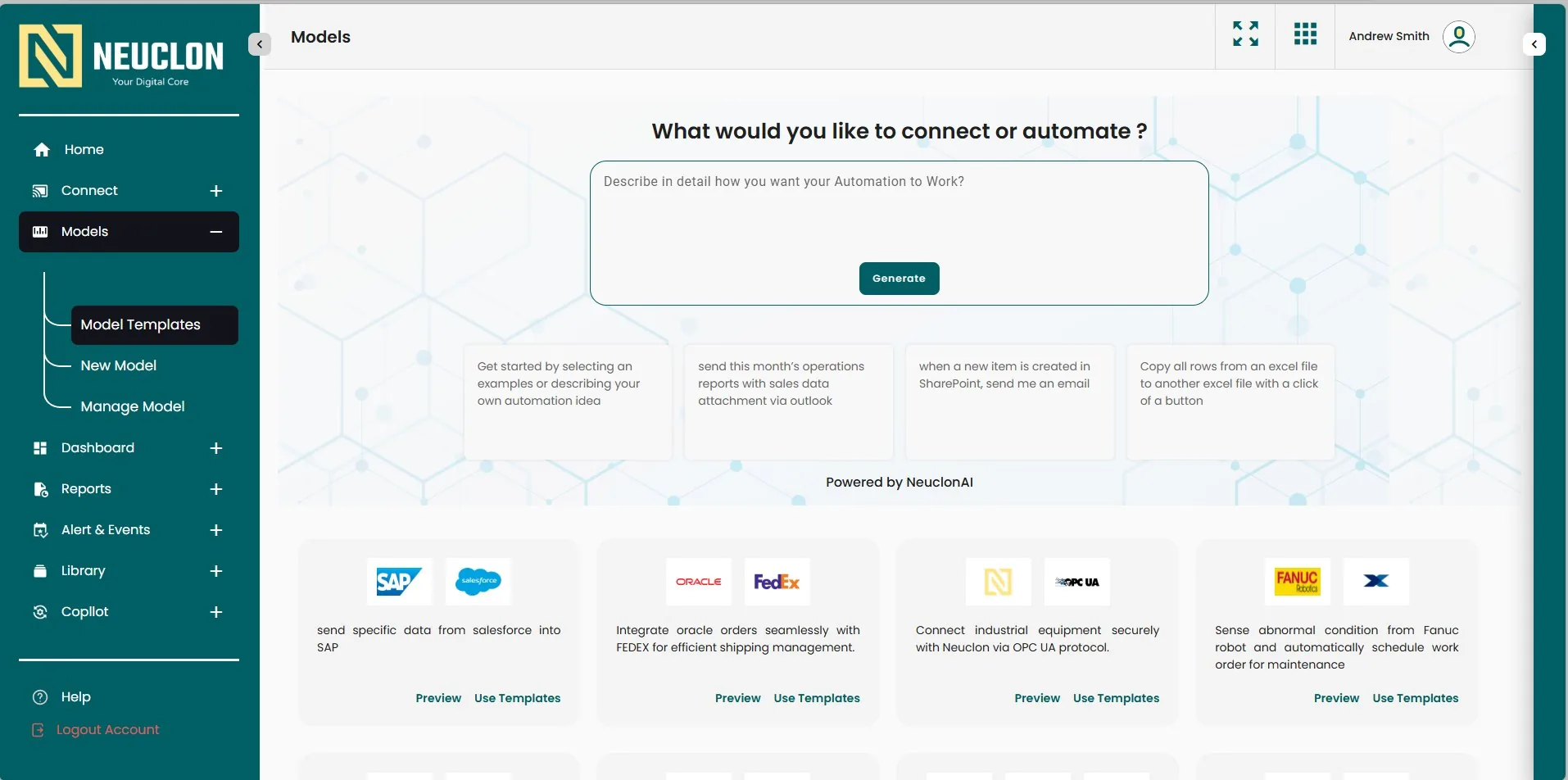
Describe it in plain English
This is where an executive or process owner starts. They describe the automation in their own words and Neuclon generates it.
- Type what should happen, then press Generate.
- Or start from a template: Salesforce to SAP, Oracle orders to FedEx, OPC UA equipment, FANUC robot maintenance.
See and refine what was built
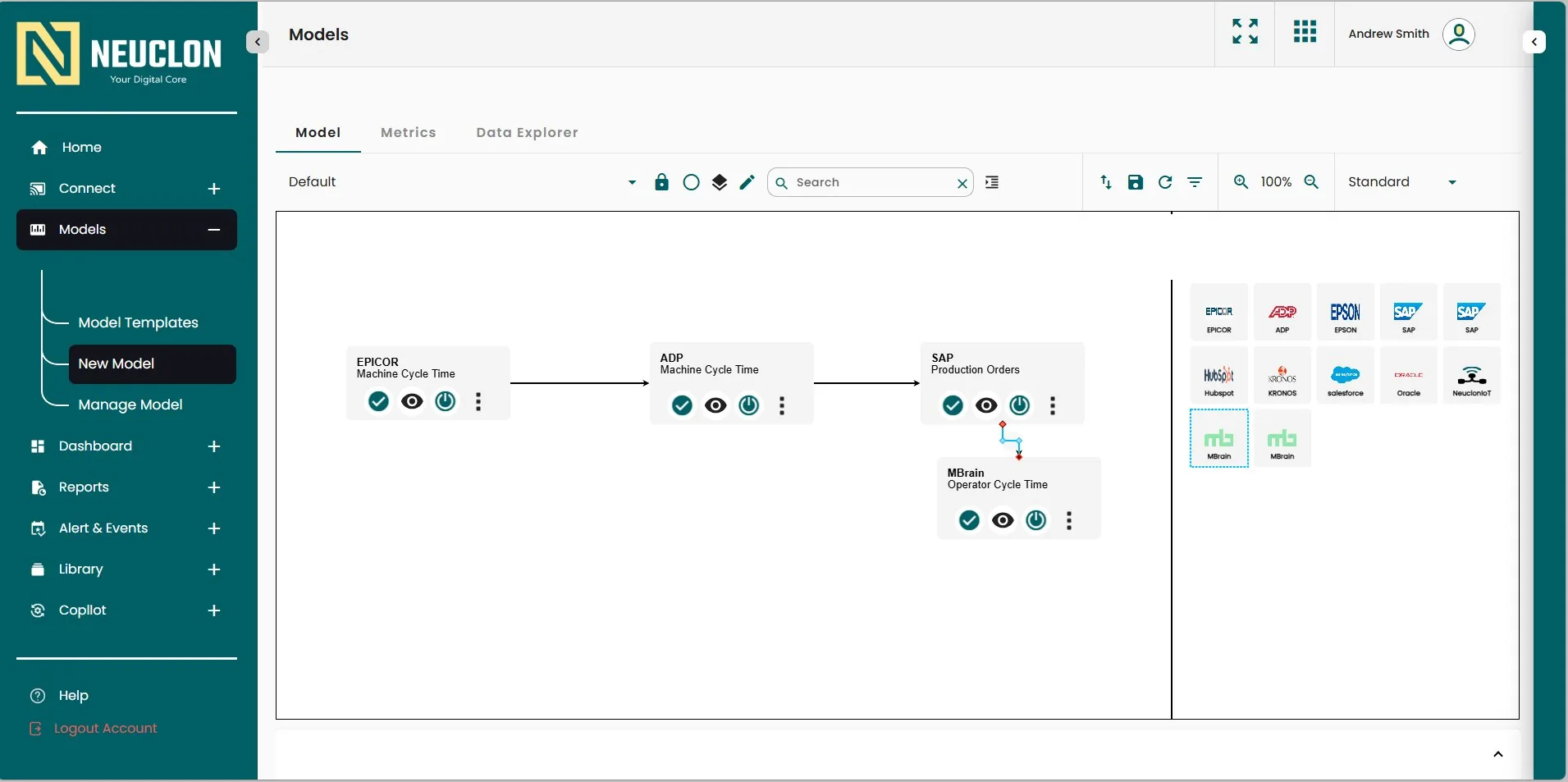
Every generated automation becomes a visual model the team can inspect, test and change, with no code.
- Data flows step by step: Epicor and ADP cycle times feed SAP production orders.
- Drag in more systems: Epicor, ADP, SAP, Kronos, Salesforce, Oracle, Neuclon IoT.
Switch on ready-made AI
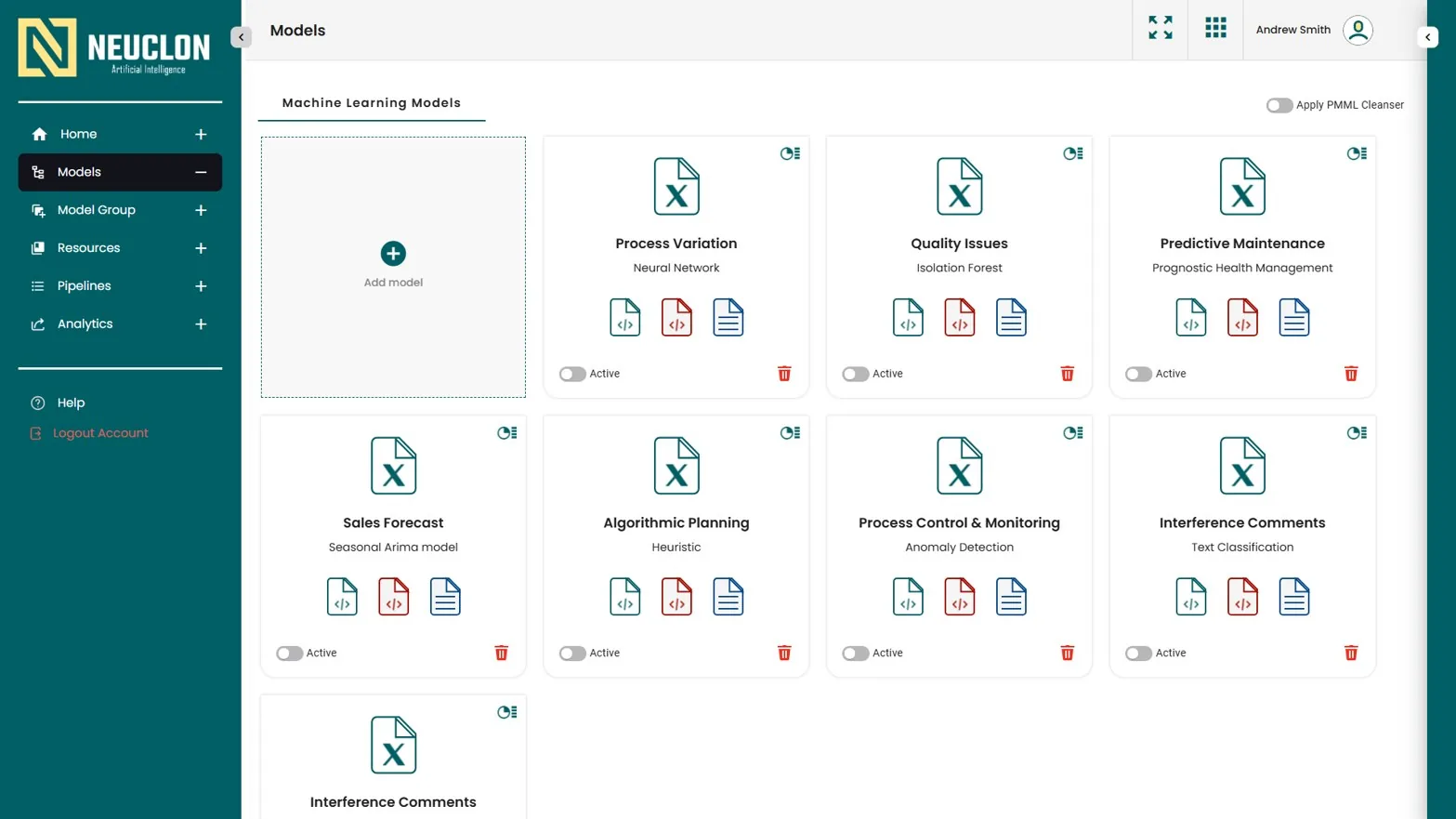
A library of machine learning models for common plant problems, each one switched on when the team is ready.
- Process variation, quality issues, predictive maintenance, forecasting, planning and anomaly detection.
- Each model has an Active switch, so nothing runs until you turn it on.
Share the results
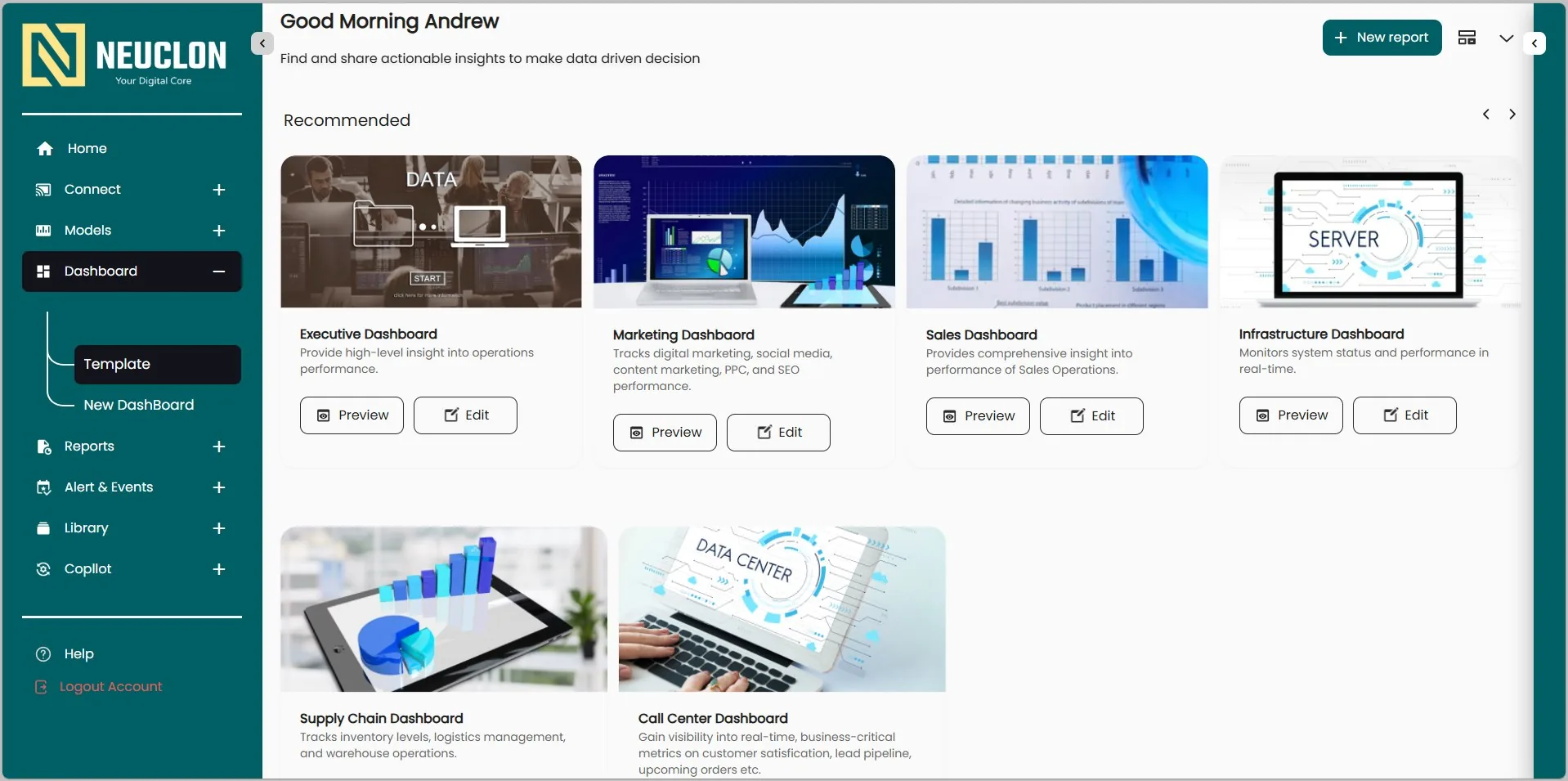
Dashboards and reports turn the results into something leadership can read in a minute.
- Start from templates such as Executive, Sales and Supply Chain.
- Build a new report from any model or dataset.
Screens from the Neuclon platform. Names and figures shown are sample data.
For executives and process owners
Describe the outcome you want, review what Neuclon builds, set the rules and switch it on. No code and no ticket queue.
For IT and data teams
Governed data on Azure and Databricks, read-only plant connections by default, and versioned models and rules. How Neuclon OS works
For the plant floor
Answers, alerts and AI agents that act within approved limits, with every action logged. How the AI agents work